What is AI and Why You Need It
Understanding the tool in 5 minutes
The simple truth
ChatGPT is a website where you type something, and an AI (fancy computer program) writes back. Think of it like a very fast assistant who can write. You ask, it answers in seconds.
The key thing: You can't break it. It's designed for people to type into it. Ask it anything, and it'll help.
Why should you care?
If you run any small business—contractor, salon, cleaner, consultant, shop, coach—you spend hours on paperwork:
- Writing estimates
- Chasing unpaid invoices
- Following up with customers
- Writing posts for social media
- Answering questions you answer every week
AI cuts that time in half. Not through magic. Through copy-paste.
How it's different from Google
Google finds existing information. AI writes new information. You ask Google "how do I write an estimate?" Google shows you articles. You ask ChatGPT "write an estimate for [your job]" and it writes one you can send in 2 minutes.
A note on the examples
The examples in this guide use contractors and salons. Why? They're great to learn from. But the method works for any business: cleaners, consultants, shops, coaches, therapists, and more. When you see [CONTRACTOR EXAMPLE], think about your own business and replace it with your reality.
The fear question
But isn't this cheating? No. It's your business, your reputation, your prices. ChatGPT is just typing faster. You read it, you fix it, you send it. That's not cheating. That's smart.
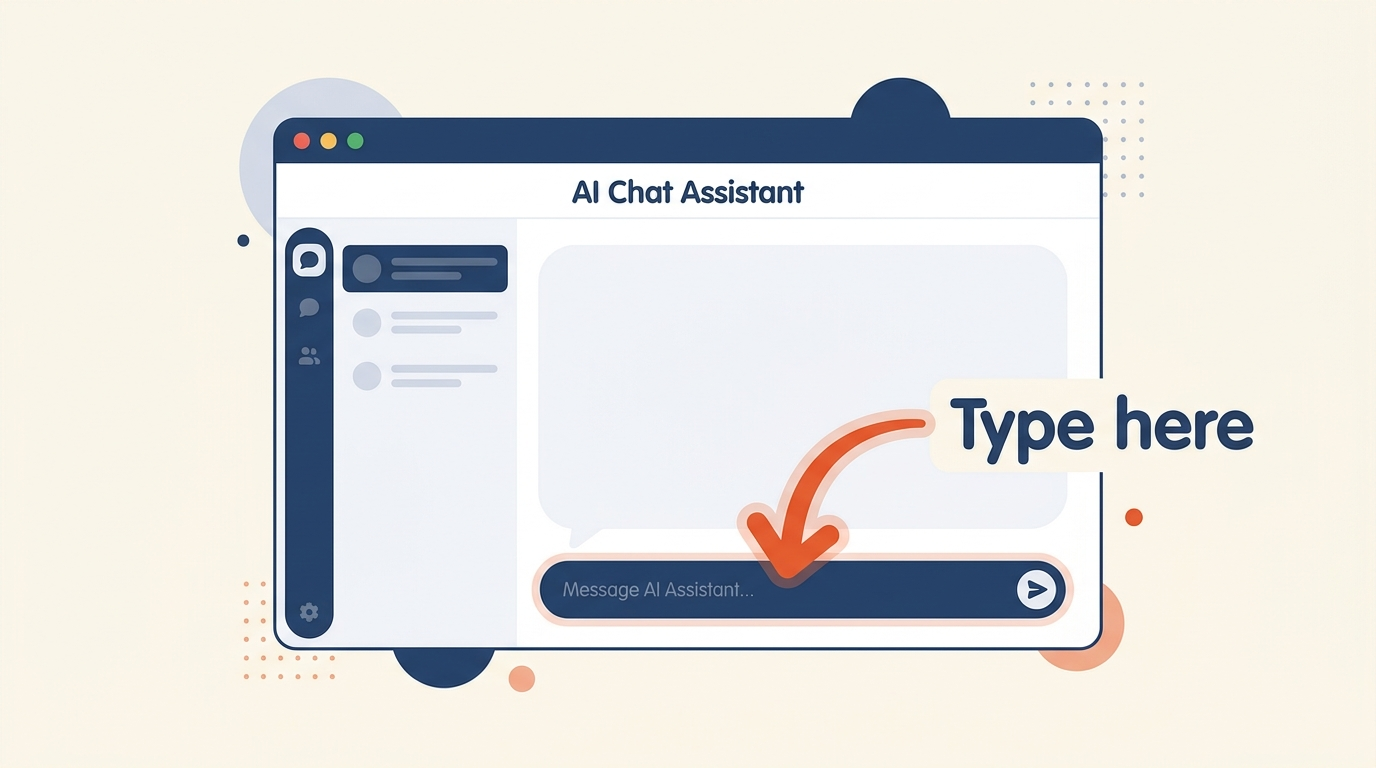
Getting Started — Your First 5 Minutes
Sign up. Log in. Type. Done.
Step 1: Get in (1 minute)
- Go to chatgpt.com in your browser.
- You'll see a big text box that says "Message ChatGPT" or similar.
- You do NOT need to sign up to try it. Just start typing — it works right away.
- If you want to save conversations later, click Sign Up and use your Google account. Two minutes, tops.
Step 2: Your first win (3 minutes)
Let's write a real message your customer would actually get:
Here's what to do:
- Copy the text above (hit the button).
- Go to chatgpt.com and paste it into the message box.
- Press Enter.
- Wait about 10 seconds — ChatGPT writes you a message.
- Read it. If it sounds like you, send it to Anna. If it's too stiff or casual, ask ChatGPT to "make it more [casual/professional]".
That's it. You just used AI. What you got back is something you wrote (well, asked for). You sent it. Done.
The [BRACKETS] Trick
One simple pattern. You'll use it for everything.
The pattern
Every tool in our toolkit (and most of what you'll use in ChatGPT) has words in [BRACKETS] like this: [YOUR NAME] or [CUSTOMER NAME].
Those are placeholders. They're telling you: "Here, put your own information here."
Before — template
After — your version
![[BRACKETS] highlighted in a prompt](https://d8j0ntlcm91z4.cloudfront.net/user_3FEWryPJeG3iPk2EVbeMyPWkxV3/hf_20260715_082717_e921d3a9-9a52-4209-a9b9-85476121742f.png)
That's the whole secret
Replace the [BRACKETS] with real information from your business. Paste it. Hit Enter. You're done.
Pro tip
Keep a note on your phone or in your computer with your "standard info":
- Your name
- Your business name
- Your service (be specific: "plumbing repairs and kitchen renovations" not just "plumbing")
- Your typical price range
- Your location
- Your payment terms (50% deposit? Due on completion?)
Then just swap in the [BRACKETS] each time you use a tool.
AI as Your Copywriter
Let it handle the words. You focus on the work.
What this means
Instead of staring at a blank screen trying to figure out how to word an estimate, email, or Instagram post, you tell the AI what you want and it writes it.
Real examples
For plumbers:
For salon owners:
For both:
The pattern: Be clear and specific
The best prompts tell the AI:
- What to write: "an estimate" or "a social post"
- Who it's for: "my customer" or "salon followers"
- What to say: "the job costs $1,200" or "we have a new service"
- How to say it: "professional but friendly" or "casual and funny"
The more specific you are, the better the AI does. Vague = mediocre. Clear = usable.
Common Beginner Mistakes (And How to Avoid Them)
Everyone does these first. It's normal.
Mistake 1: Asking too vaguely
Bad: "Write an email"
Good: "Write a short email to my customer Mike saying his deck is done and asking if he wants to schedule a walkthrough to check it out."
The more detail you give, the better the AI does. Give it the who, what, when, and tone.
Mistake 2: Trusting the AI without reading
The AI is fast, but it's not magic. It can:
- Make up numbers if you don't give it the real ones
- Forget details you mentioned
- Write in a tone that doesn't fit your business
Solution: Always read it first. Before you send anything, look at it and ask: "Does this sound like me? Does it say what I want?" If it's off, you fix it, or ask ChatGPT to rewrite it.
Mistake 3: Thinking you need to memorize prompts
You don't. Save them. Bookmark this page. Save them in a note on your phone. The goal is: when you need to write something, you just find the template and swap the [BRACKETS].
Mistake 4: Worrying you're "doing it wrong"
If you typed something into ChatGPT and it wrote something back, you did it right. The AI doesn't judge. There's no "right way" — there's just "works for your business" or "doesn't."
Three fears — answered
Am I cheating if I use this? No. It's your business, your reputation, your prices. ChatGPT is just typing faster. You read it, you fix it, you send it. That's not cheating. That's smart.
What if it writes something wrong? You read it first. Every time. You're in control the whole time. If it's off, you fix it or ask it to rewrite.
Is my information safe? Don't type credit card numbers, bank account info, or Social Security numbers. But "my customer Mike needs an estimate" or "I'm a plumber in Boston"? That's fine. That's how it helps you.
Your Actual First Project
From start to finish in 5 minutes. You can use this tonight.
Pick your project
If you're a plumber, carpenter, or contractor: Draft an email to a past customer telling them you're offering [SERVICE] and you'd love to help them with it.
If you're a salon owner: Write an Instagram post about a service (or an offer) and include a call to action ("DM us to book").
If you're in any service business: Draft a text message confirming an appointment for [CUSTOMER].
Step 1: Copy the template (30 seconds)
Pick the one that fits your business:
Step 2: Fill in the [BRACKETS] (1 minute)
Replace:
- [CUSTOMER NAME] → e.g., "Mike"
- [YOUR NAME] → e.g., "John"
- [COMPANY NAME] → e.g., "John's Plumbing"
- [SERVICE YOU'RE OFFERING] → e.g., "drain cleaning service"
Step 3: Paste into ChatGPT (30 seconds)
- Go to chatgpt.com
- Paste your filled-in prompt
- Press Enter
- Wait 10 seconds
Step 4: Read and tweak (2 minutes)
Look at what it wrote. Does it sound like you? Is the tone right? If yes, you're done. If it's too stiff or too casual, type back: "Make that more [casual/professional]" and it rewrites it.
Step 5: Send it (1 minute)
Copy the email (or post, or text) and send it to your customer. That's it. You just saved 15 minutes of staring at a blank screen.
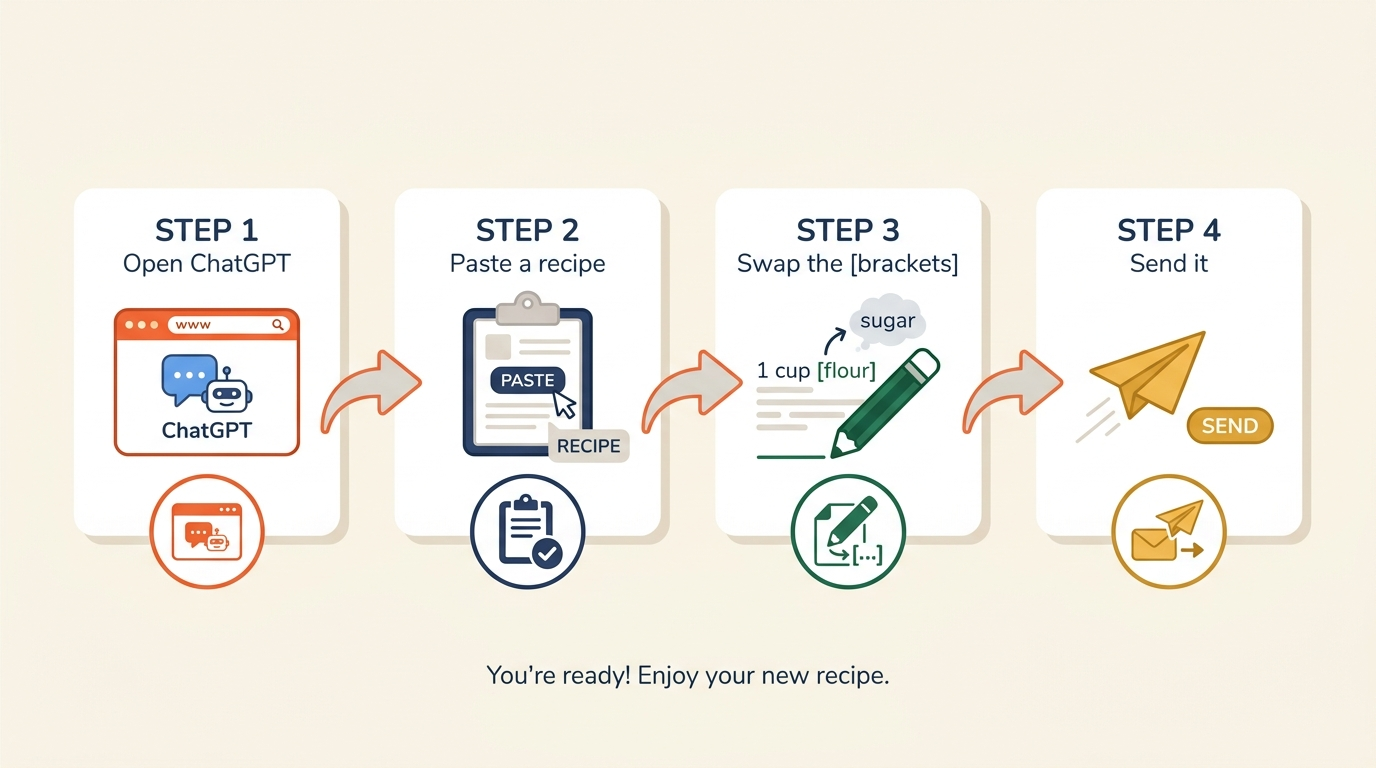
Celebrate
You just did it. You used AI. You created something useful. This is the foundation. Everything else builds on this.
The Automation Ladder
From copy-paste to a business that runs itself. Four realistic levels.
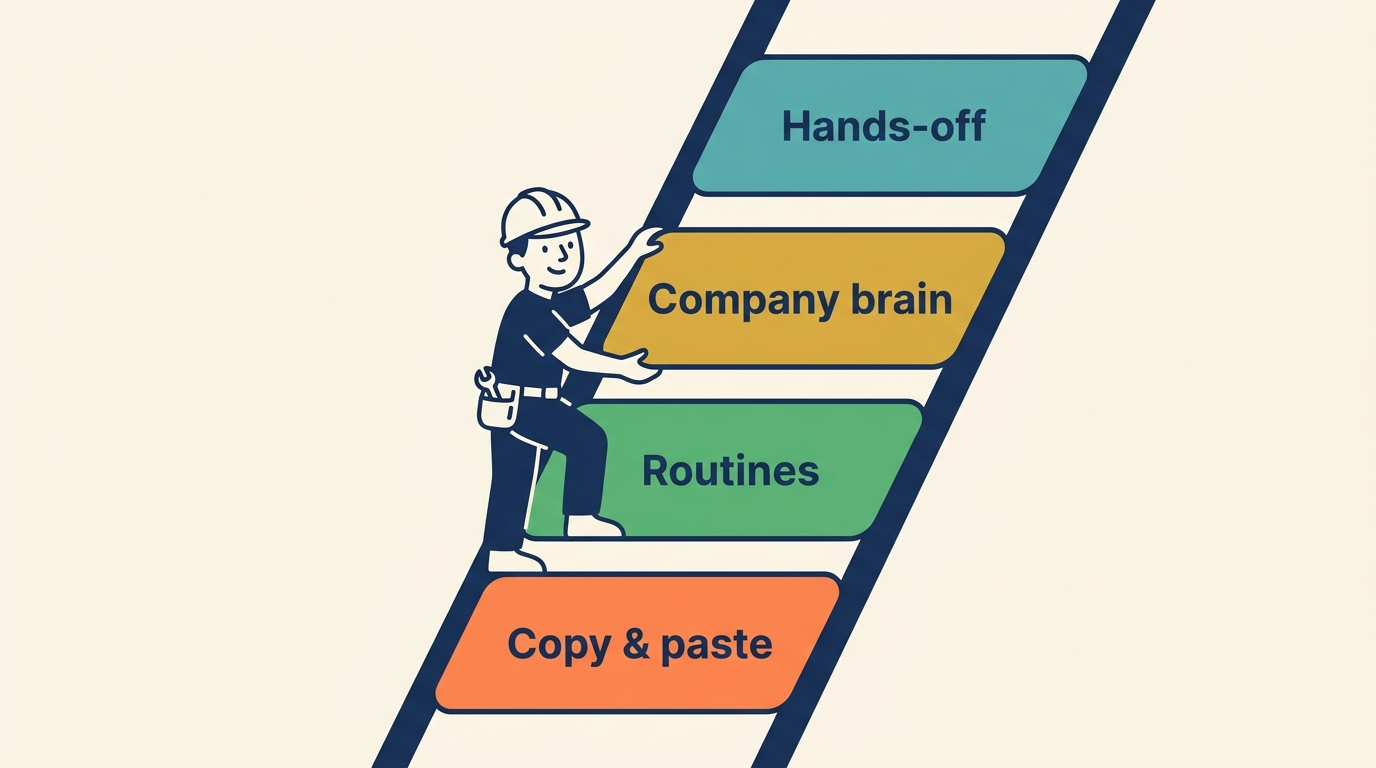
Level 1: Copy & Paste (You are here)
You have the tools. You grab one when you need it — no calendar blocking, no setup, no thinking.
- Customer asks for an estimate? Fire up the tool, paste the job details, get something you can send in 2 minutes.
- Follow-up needed? Use the tool instead of worrying about the wording.
- Need to write a text? The tool is faster than staring at a blank screen.
Time saving: 2-4 hours per week
Level 2: Routines (Weekly beats + shortcuts)
You put these on your calendar. Same time, every week. That's when consistency kicks in.
- Monday morning: Plan the week
- Friday 10 AM: Chase unpaid invoices and follow up on stalled quotes
- After every job: Request a review
- Weekly: One email to past clients
Bonus: Save your best prompts as keyboard shortcuts on your phone (Settings → Text Replacement on iPhone).
Time saving: 5-8 hours per week. You've got a rhythm. The tools become reflex.
Level 3: Company Brain (Master document + chained workflows)
One document about your business becomes your secret weapon. You paste it into every conversation, and suddenly the AI understands everything about how you work.
Then you chain your tools: Inquiry → Estimate → Follow-up → Payment → Review request. The paperwork is mostly automatic.
Time saving: Eliminates most of your paperwork. You're left with the 20% that actually requires judgment.
Level 4: Hands-Off (What CAN fully automate)
Booking reminders, invoice chasers, auto-replies. They run without you touching them. But fair warning: this needs setup, not copy-paste.
When it makes sense: You've already hit Level 2 or 3. Invoices are killing you. Then you invest a weekend wiring it up. Worth it? Probably.
Time saving: Maximum leverage. But requires initial setup.
Where to go next
You've finished this guide. You can:
- Start at Level 1: Use the tools when you need them
- Jump to Level 2: Set a calendar reminder for Friday mornings to chase invoices
- Build your Company Brain: Create a one-page document about your business and paste it into every conversation
Honesty: Levels 3 and 4 aren't copy-paste. But if Levels 1 and 2 save you 5-8 hours a week, that's real money. Start there.
You Made It!
Here's what you now know.
Congratulations
You just learned AI. You understand how to use it. You've already tried it. That puts you ahead of most people.
What you can now do:
Sign up for ChatGPT and start typing
Use [BRACKETS] to customize prompts for your business
Write estimates, emails, and posts faster than before
Understand what AI can and can't do
Know how to check the AI's work before sending it
Start saving 2-4 hours per week immediately
Plan your next step: Level 1, Level 2, or something else
New free tools, monthly 📬
We add new free prompts and guide updates every month. Get an email when they drop — no spam, unsubscribe anytime.
Follow for free updatesWhat's next?
You've got the basics. Now pick your next move.
Questions? Ideas? Just want to say hi?
hello@fflabs.dk